
Pay as you go From €9.99 + VAT →
Amazon listings with the keywords that really matter
Upload your Helium 10 keyword report and it tells you which words count, which field each one goes in and which ones you’re missing. You write the title, the bullets and the search terms with the breakdown in front of you, not by eye.
- Editing your listing is free
- No subscription, no commitment
- Nothing to install
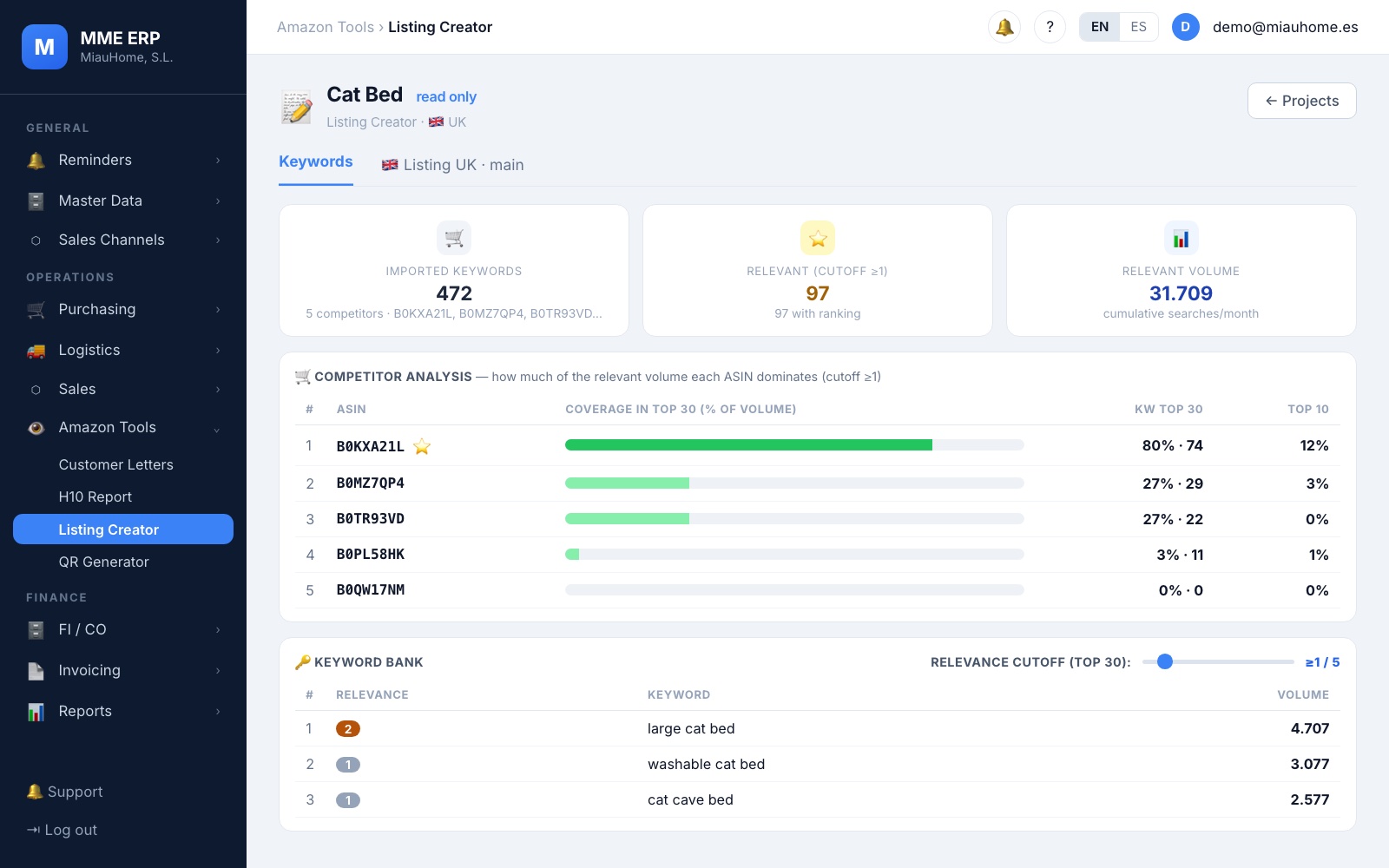
Real relevance
how many competitors rank for it
Nothing slips through
you see which words you’re missing
You only pay when you use it
1 credit
= 1 product analysed
€0
monthly fee: no subscription
Free
to edit the listing and add languages
24 months
to use your credits
What it does for you
From your keyword report to a well-built listing
You have the Helium 10 report and a blank page. What goes between the two is judgement, and that’s what Listing Creator brings.
Real relevance, not just volume
A word is worth as much as the number of your competitors that rank for it, not just how many people search for it. You decide down to which position it counts.
Every word in its place
It tells you which one goes in the title, which in the highlights, which in the bullets and which in the search terms.
Warnings as you write
If you repeat a word too often, or you’re missing an important one that still fits, it tells you.
Other languages, at no cost
Add the translation for another country in its own tab, with its counters, without spending credits.
Inside
This is how you write a listing with Listing Creator
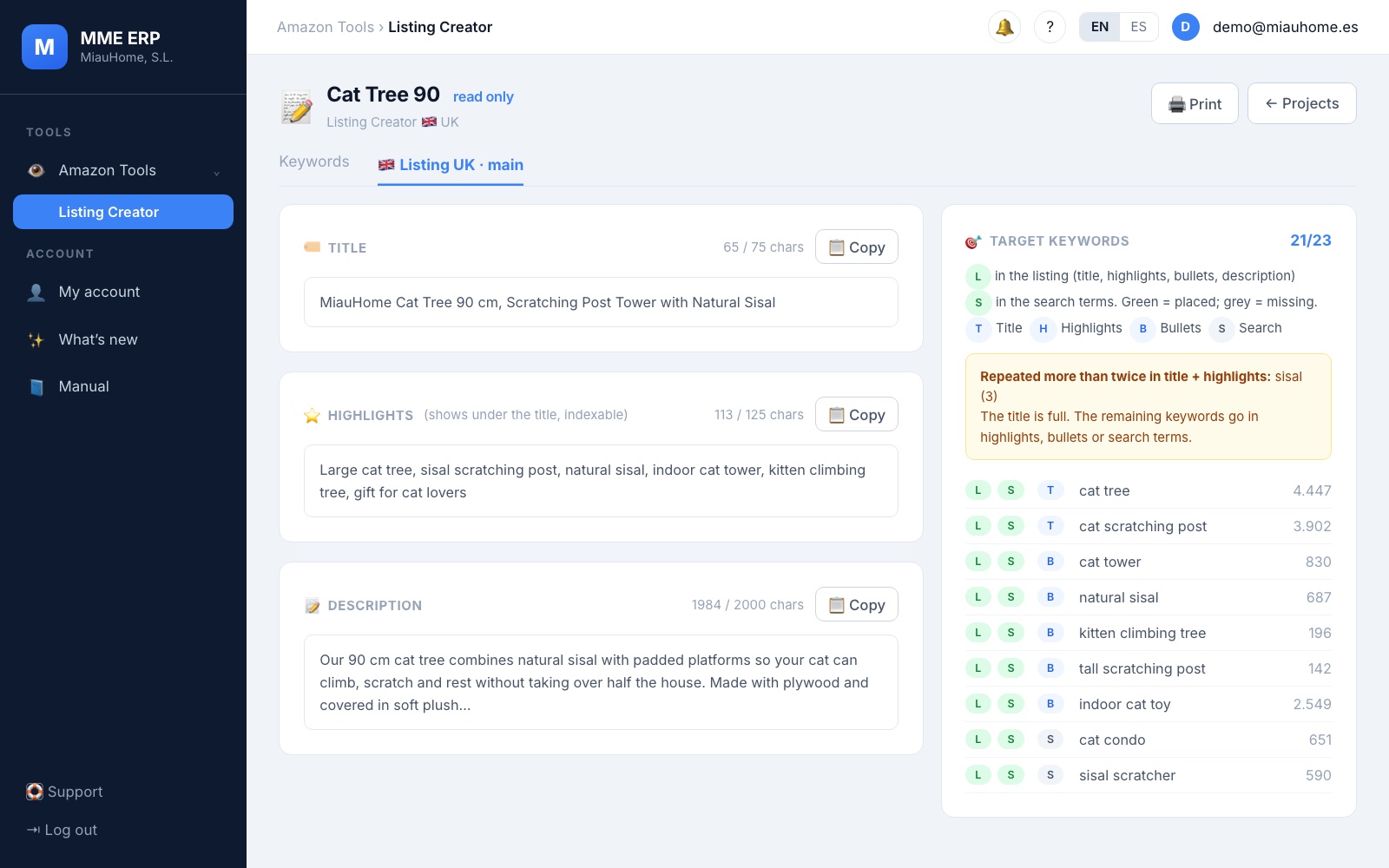
Write with the breakdown in front of you
Title, highlights and description, each with its character counter. On the right, your keywords: a green mark once you’ve used one and another that tells you where it should go.
- Counters with Amazon’s limits for each field
- A warning if you repeat a word more than twice across the title and highlights
- A copy button on every field, to paste it into Amazon
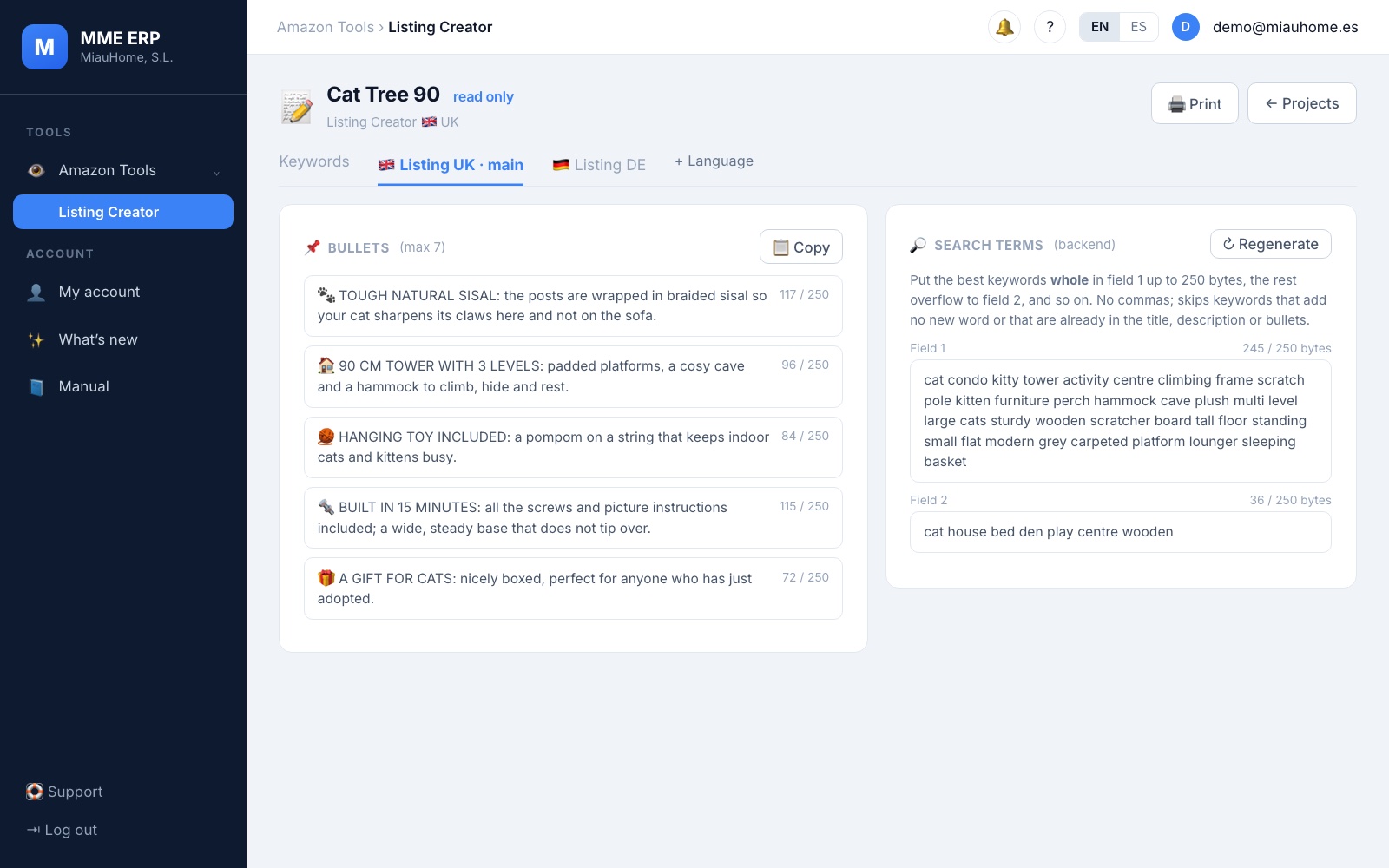
Bullets and search terms, without wasting space
The search terms are suggested for you with the best keywords you haven’t used yet, whole and without going over the byte limit. The bullets have their own counter and icon.
- Search terms with what you’re missing, with no repeats
- A byte counter, the way Amazon counts them
- Discard the keywords that aren’t about your product in one click
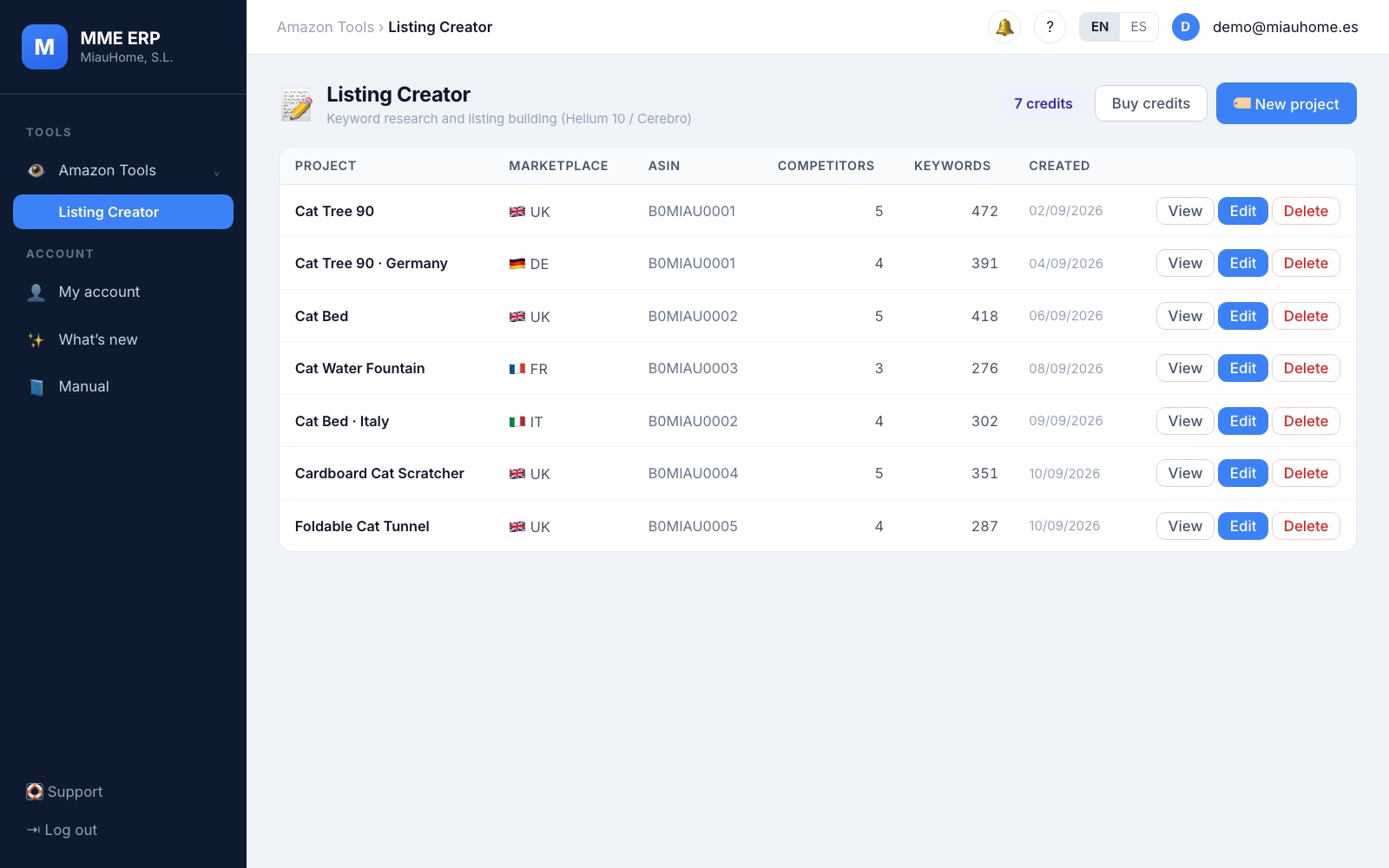
Your products, organised and saved
Each product is a project, with its country and its analysis. You see at a glance how many credits you have left, and the system asks you before spending one.
- One project per product and country
- Updating the same product with a new report doesn’t use credits
- No more lost Excel files: everything stays in your account
Credit packs
You buy credits, not subscriptions
No monthly fee: use them whenever you want. Every pack comes with a free credit. No commitment. All prices exclude VAT.
LISTING 4
€9.99
+ VAT · was €14.99
To get started with your first products.
- 4 + 1 free credit
- €2.50 per credit
Recommended
LISTING 10
€19.99
+ VAT · was €29.99
For sellers with several products to optimise.
- 10 + 1 free credit
- €2.00 per credit
LISTING 50
€79.99
+ VAT · was €119.99
For large catalogues.
- 50 + 1 free credit
- €1.60 per credit
All packs include
- 1 credit = 1 product analysed (keywords, relevance and coverage)
- Edit your listing for free, as many times as you want
- Updating the same product and adding languages doesn’t use credits
- The system asks you before spending a credit
- Credits expire after 24 months
- 1 user and email support
Credits are non-refundable. If you later sign up for the MME ERP, any credits you haven’t used are deducted from the plan at what you paid for them (free credits don’t count).
* Support tool. We do not guarantee specific Amazon rankings or sales results.
It’s that easy
How it works
1
Buy your pack
Pay once, no subscription. Sign the contract online in two minutes and your login arrives by email.
2
Upload your keyword report
Your Helium 10 Cerebro export with your competitors, in CSV or Excel. It asks you before spending the credit.
3
Write and copy to Amazon
With the breakdown by field and the counters in front of you. Copy it field by field, or print it.
Frequently asked questions
Which file do I need?
The Helium 10 Cerebro export with your competitors’ ASINs, in CSV or Excel. It works best with real competitors (not variations of your own product) and with your product in stock: if you export it while it’s out of stock, its rankings come out artificially low.
What uses a credit?
Analysing a new product: 1 credit. Editing the listing, uploading the report for the same product again to update it or adding another language costs nothing. Another country with its own keyword report counts as another product.
Do credits expire?
Yes, 24 months after you buy them. If you run out of credits you lose nothing: your listings stay in your account and you can keep editing them; you only need to top up to analyse a new product.
Does it guarantee more sales?
No. It’s a support tool to help you write better listings; ranking on Amazon depends on many things we don’t control.
What if I want the full ERP later on?
Switch whenever you like, without losing your data. Any credits you haven’t used are deducted from the plan at what you paid for them (free credits don’t count). In the MME ERP Pro and Premium plans Listing Creator is already included, without spending credits.
Do the prices include VAT?
No. All prices exclude VAT: the applicable VAT is added to your invoice.
How do I buy it?
Very soon you’ll be able to buy your pack right here. Choose the pack, pay and sign the contract online; your account is created automatically and your login arrives by email. In the meantime, if you’d like to try it, write to us.
Shall we look at it with one of your products?
Write to us and we’ll show it to you with your own keyword report, before you buy anything.